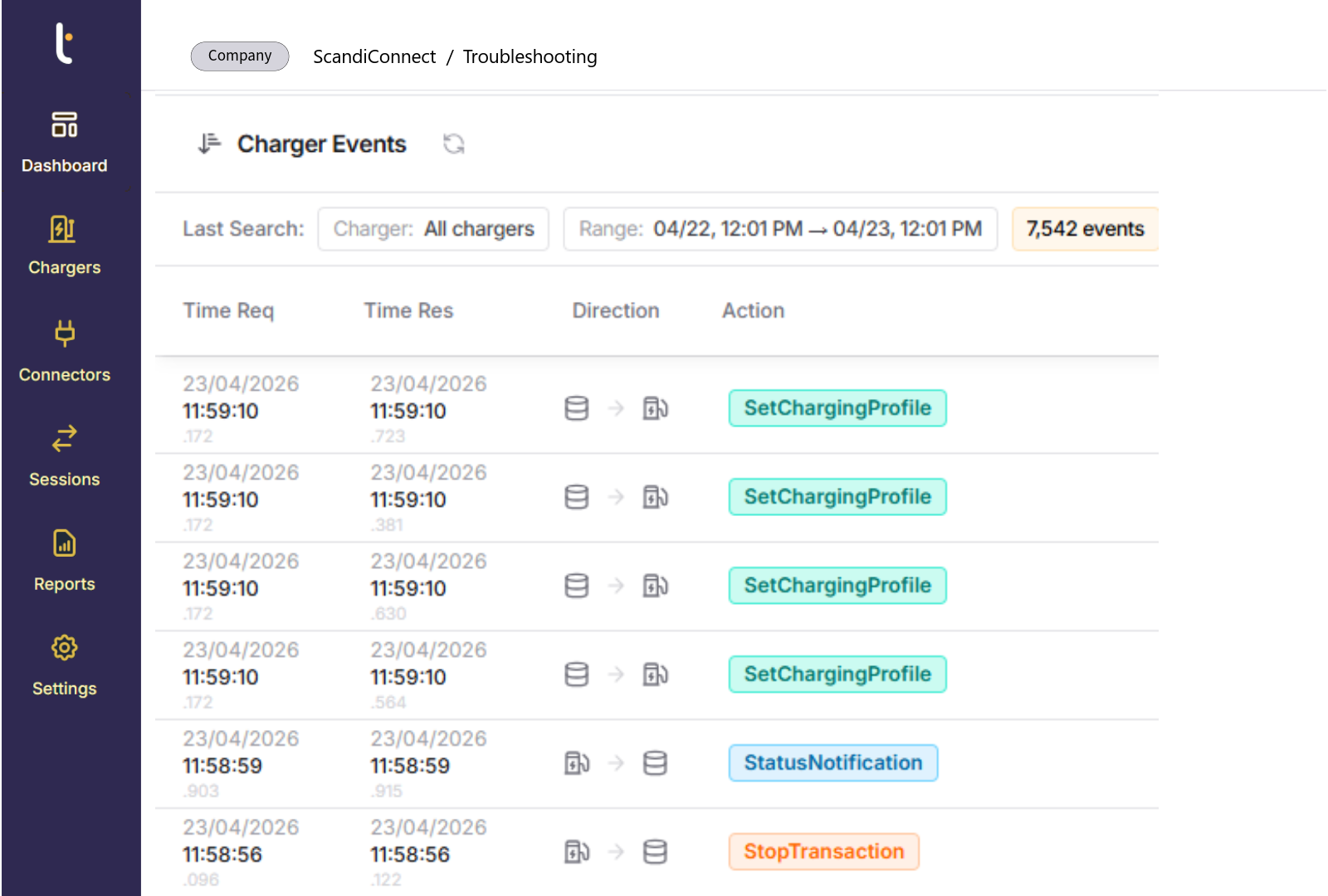
Charger Troubleshooting
What’s it For?
Charger troubleshooting gives depot teams what they need to find and fix a charger fault without leaving Tenix Charge. Exact error codes, a full log of the communication between each charger and the platform, and remote commands sit in one place, for every charger brand in the depot. Faults are understood and resolved faster, and fewer need a technician on site.


Why Fast Troubleshooting Matters
Chargers fault and go offline in every depot, and a fault found late can cost a departure. When the cause is unclear, teams switch between systems, wait for the charger supplier to send logs or send someone into the yard to look. In a depot with several charger models and software versions, each brand behaves differently, which makes the cause even harder to pin down.
What Charger Troubleshooting Provides
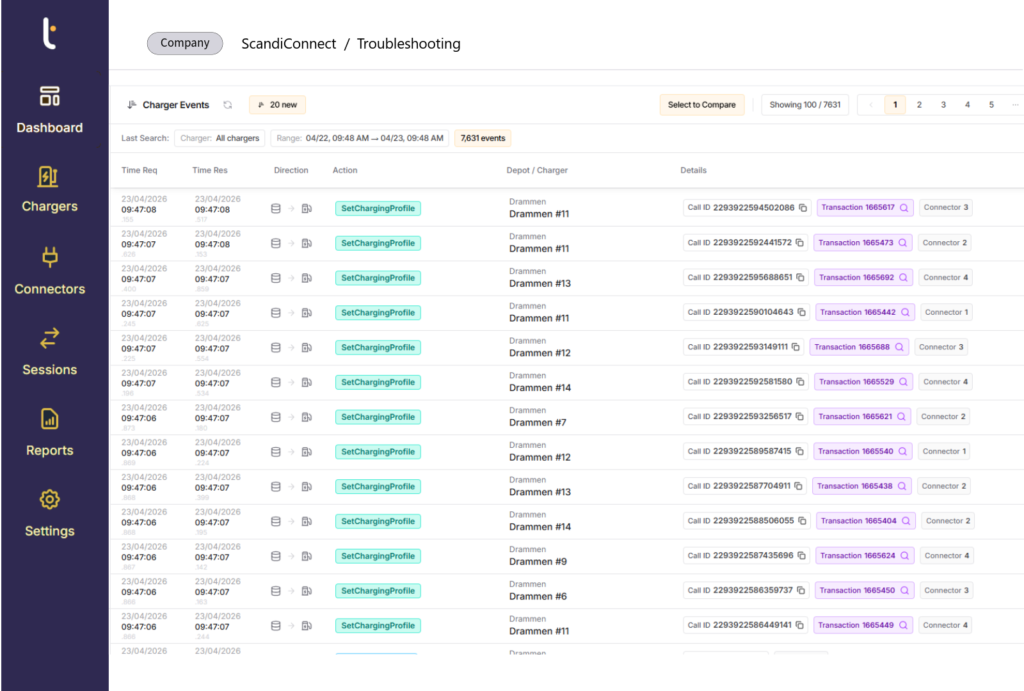
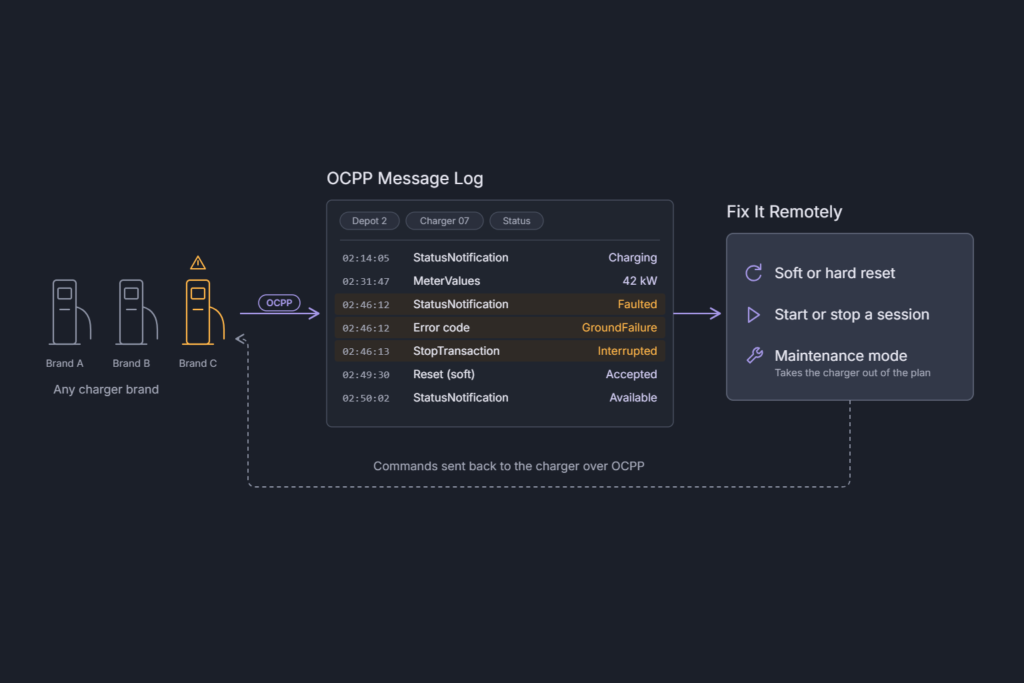
Depot teams see what happened, when and why, down to the messages a charger sent and received. They can trace an error code or a rejected command back to its source and tell whether the problem lies with the charger, the vehicle, the connection or the configuration. They can then reset the charger, restart a session or take the charger out of service from the platform, with the same tools for every brand.
How Charger Troubleshooting Works
Tenix Charge communicates with chargers over OCPP, the open protocol used by depot chargers. Every action, such as starting a session or reporting a fault, is an OCPP message, and the message log records each one with its timestamp, request and response. Teams filter the log by charger, depot, command type or status, in real time or for past events. From the same view they can send a soft or hard reset, start or stop a session or request a status update. Maintenance mode marks a charger as out of order, which blocks new sessions and removes it from smart charging calculations while it is repaired.
Key Capabilities
Charger troubleshooting turns charger data into fast, informed action for every brand in the depot.
Exact error codes
See the precise charger error and guidance on how to fix it.
OCPP message log
Filter the full charger communication history by charger, depot, command or status.
Remote commands
Reset chargers and start or stop sessions without a site visit.
Maintenance mode
Take a faulty charger out of service so it does not affect the charging plan.
Frequently Asked Questions
Got a different question? Just contact us and ask.
Does troubleshooting work with all charger brands?
Yes. It uses OCPP, the open protocol Tenix uses to communicate with chargers, so the same tools work across every brand in the depot.
Can we reset a charger remotely?
Yes. Depot teams can send a soft or hard reset from Tenix Charge, in the depot or in the field.
What happens to the charging plan when a charger is out of service?
Maintenance mode removes the charger from smart charging calculations and blocks new sessions, so the plan uses the chargers that are available.
Will we know when a charger faults?
Yes. Charging alerts flag faults, offline connectors and sessions that stop early, and troubleshooting helps the team find the cause.
Explore
Resources for Improving Charge Operations

READY TO GET STARTED?
Join hundreds of satisfied operators using Tenix
To start the conversation, contact us.
Book a demo