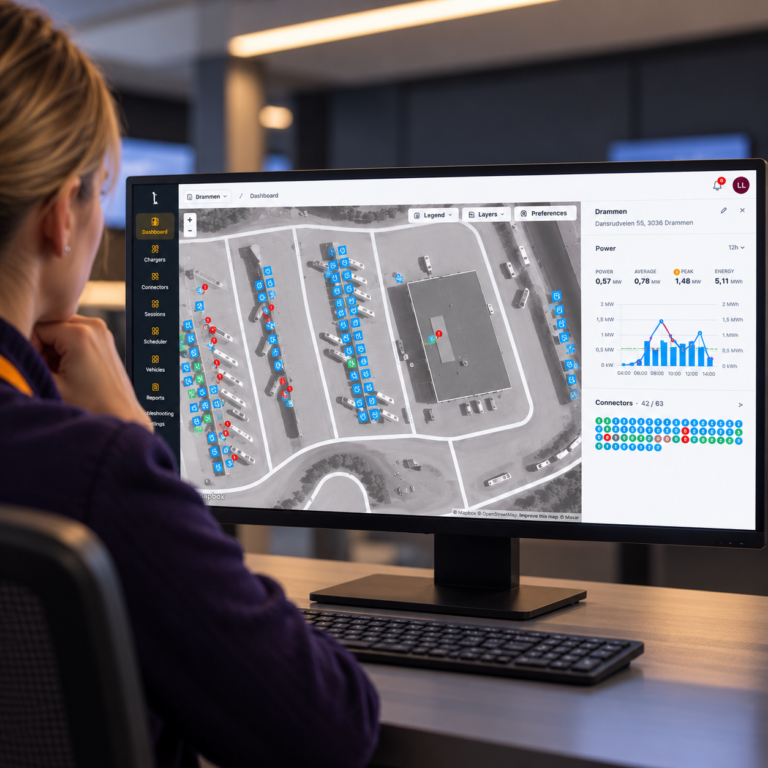
Charger Troubleshooting Now in Tenix Charge
The charger troubleshooting module is now available in Tenix Charge, along with the first of several new diagnostic tools: the Message Log.
Why We Built it
Electric fleet operations rely on dependable charging. When a charger has issues, goes offline, or acts unexpectedly, finding the cause usually means switching between systems, waiting for third-party support, or asking for logs you can’t access yourself.
Customers with complex charging setups told us they needed direct access to charger data, without all the back-and-forth. The Troubleshooting Module is our solution for that, giving teams a more direct approach to charger troubleshooting.
Message Log Available Now
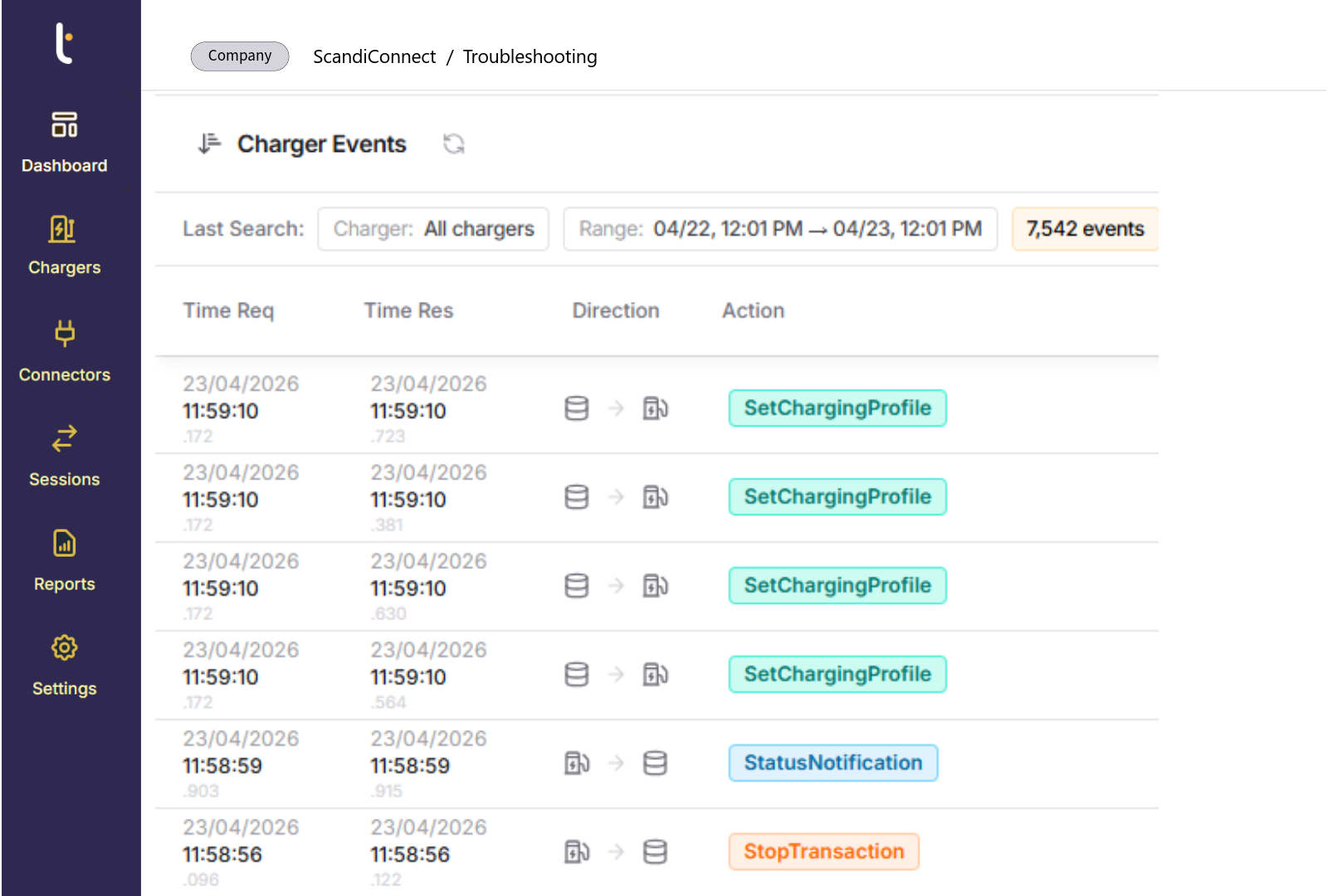
The Message Log gives you a dedicated, filterable view of the raw OCPP (Open Charge Point Protocol) communication between your chargers and the platform, both in real time and in the past, forming the foundation for effective charger troubleshooting.
You can filter by charger, depot, command type, or status to find exactly what you need. Each entry shows the full request and response, with timestamps, raw payloads, and call IDs, so you can see exactly what happened and when.
Now your team can diagnose charger behavior right in Tenix Charge, without needing to escalate issues or use other dashboards. Whether you’re looking into a failed session, a connectivity drop, or something unexpected, you’ll find the answers in one place.
The Message Log gives direct access to OCPP data, which is the basis for all communication between chargers and the charge management system. Every action, such as starting a session or reporting a fault, is sent as a structured OCPP message. By making this data easy to read and filter, the Troubleshooting Module turns hidden backend communication into information that operational teams can use.
Users no longer have to depend on second-hand information or wait for support responses. They can see exactly how a charger is working at the protocol level. For example, status notifications show if a charger is available, charging, faulted, or unavailable. Transaction messages reveal how and when sessions start, stop, or are interrupted. Teams can trace error codes and rejected commands back to their source, making it easier to find out if a problem comes from the charger, the vehicle, connectivity, or configuration.
This kind of visibility is especially helpful in complex depots where there are many charger models and software versions. By giving standard access to OCPP data for all assets, the module provides a consistent way to troubleshoot chargers, no matter who made the hardware.
Coming Later This Year
The Message Log is just the beginning for the Troubleshooting Module. Two more features are coming soon:
The Command Console will let you send OCPP commands directly to chargers from the UI. You’ll be able to reset a charger, start or stop a session, or trigger a status update, all without switching tools or waiting for outside support.
Maintenance Mode will give you a clear and safe way to mark a charger as Out of Order. This takes it out of Smart Charging calculations and blocks new sessions from starting, so a faulty or offline charger won’t affect your depot’s power distribution while you fix it.
What it Means for Fleet Operators
Direct access to charger logs shortens the time between noticing a problem and understanding it, making charger troubleshooting faster and more precise. For teams with large or growing fleets, this visibility adds up: fewer unnecessary escalations, faster decisions, and a clearer view of your charging setup at all times.
The Troubleshooting Module lays the groundwork for more independent daily operations and scalable charger troubleshooting. The Message Log is just the beginning.



 English (UK)
  Norsk bokmål
  Français